


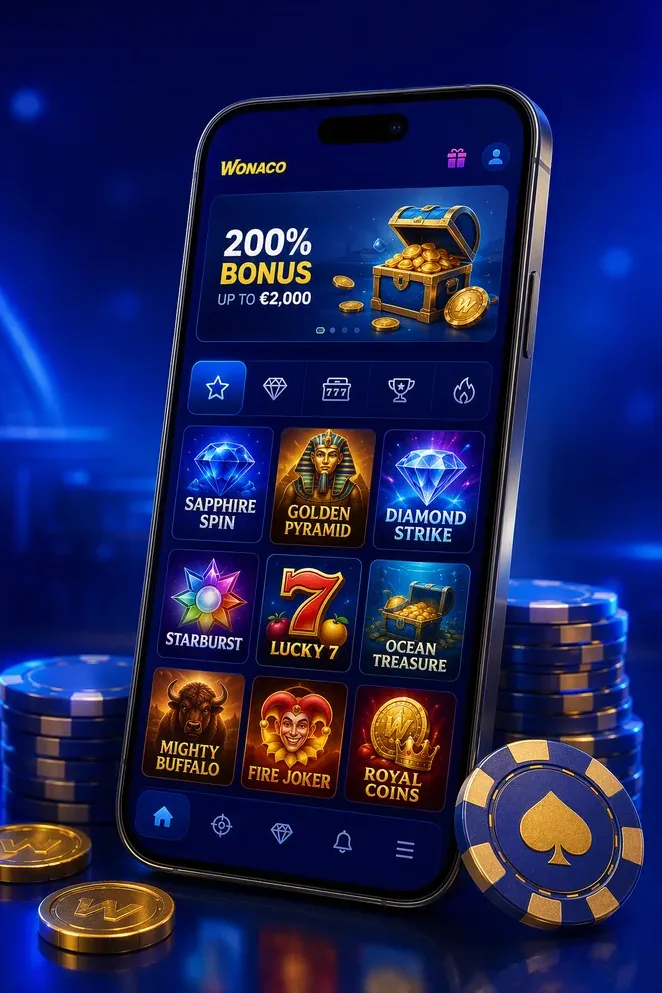
How to Install the Wonaco App on iPhone (iOS)
The Wonaco app on iPhone and iPad installs straight from Safari, so there is no App Store listing to find and no separate download to wait on. The whole process takes a few taps and adds a Wonaco icon to your home screen that opens the site full screen, without the browser bar around it.
- Open Safari and go to the Wonaco Casino website.
- Tap the Share icon at the bottom of the screen.
- Scroll down and select Add to Home Screen.
- Confirm the name Wonaco and tap Add in the top corner.
- Find the Wonaco icon on your home screen and open it to launch the app.
Installation works on current versions of iOS and takes less than a minute. You need an existing Wonaco account to log in once the app opens, so if you have not registered yet, do that in Safari first before adding the shortcut to your home screen.
How to Install the Wonaco App on Android
On Android, the Wonaco app installs from Chrome in a similar way, and no APK file changes hands at any point in the process. The shortcut behaves like any other app on your phone: it sits on your home screen, opens full screen and keeps your session active between visits.
- Open Chrome and go to the Wonaco Casino website.
- Tap the three-dot menu in the top right corner.
- Select Install app, or Add to Home screen if that is the option shown instead.
- Confirm the prompt to finish adding the icon.
- Open the Wonaco icon from your home screen or app drawer to start playing.
We only support installation through Chrome from our official domain. Wonaco does not distribute an APK file, and any file offered elsewhere under that name is not published by us. If the install option does not appear, update Chrome to the latest version and reload the page.
App vs Mobile Browser: What Changes
Playing through the installed app and playing in a mobile browser both use the same Wonaco account, the same balance in A$ and the same game library. What changes is convenience: the app opens straight to the lobby without typing a URL, runs full screen without the browser interface around it, and can show alerts about promotions if you allow notifications. Nothing about your limits, bonus balance or withdrawal rules changes based on how you open the site.
| Feature | Installed app | Mobile browser |
|---|---|---|
| Launch | One tap from home screen | Type or bookmark the URL |
| Display | Full screen, no browser bar | Standard browser window |
| Notifications | Optional promo alerts | Not available |
| Account and balance | Same A$ balance | Same A$ balance |
Logging in works the same way in both cases, through the Wonaco login page. If you play across several devices, installing the app on your main phone just saves a step each time you start a session.
What You Can Play in the Wonaco App
The mobile lobby carries the same library as desktop, arranged for a smaller screen. Pokies open in portrait or landscape depending on the title, categories load with a swipe instead of a long scroll, and the search bar finds a specific game or studio in a couple of taps. Demo mode is available on mobile for most pokies, so you can check a paytable before switching to real stakes in A$.
| Section | What's inside | Notes |
|---|---|---|
| Pokies | Video pokies, classic reels, Hold & Win titles | Demo mode available |
| Jackpots | Progressive and link jackpot pokies | Pool shown live in A$ |
| Live Casino | Roulette, blackjack, game shows | Real-money play only |
| Table Games | Blackjack, roulette, baccarat | Same bet limits as desktop |
Provider filters work the same as on desktop, so if you already follow a particular studio you can jump straight to its titles. Live tables and game shows stream in HD and need a steadier connection than pokies, which is worth remembering if you switch between Wi-Fi and mobile data mid-session. Browse the full pokies catalogue for the complete list of titles and jackpots.
Deposits and Cash-Outs from Your Phone
The cashier inside the Wonaco app works exactly like the one on desktop, just resized for a phone screen. You open it in two taps from the account menu, pick a deposit method, enter an amount in A$ and confirm. Your balance updates as soon as the payment provider clears the transaction.
- Open the cashier from the account menu and select Deposit.
- Choose a payment method and enter the amount in A$.
- Confirm the payment through your bank or provider app if asked.
- Switch to the Withdraw tab to request a cash-out in A$ once you're ready.
Verification needs to be completed before your first withdrawal, and the mobile app makes that step easier since you can photograph your ID and proof of address directly with your phone camera instead of scanning documents on a computer. Deposit methods, minimum amounts and withdrawal limits are the same as on desktop and are set out in full on our payments page. Once verification is approved, later cash-outs from the app move straight into the standard processing queue.
Device Requirements and Data Use
Wonaco runs on any phone or tablet using an up to date iOS or Android browser, so there's no fixed list of supported models to check against. What matters more is your connection: pokies and table games are light on data and load quickly even on a modest 4G signal, while live dealer tables stream video and use noticeably more of your mobile data allowance. If a live stream stutters, switching to Wi-Fi or lowering the stream quality in the game window usually fixes it. The app itself takes up very little storage compared with a downloaded native app, since it's a shortcut to the site rather than a separate install.
| Requirement | What you need | Notes | Impact on data use |
|---|---|---|---|
| Operating system | Current iOS or Android version | Older browser versions may not support the install prompt | None |
| Browser | Safari (iOS) or Chrome (Android) | Other browsers may not offer Add to Home Screen | None |
| Storage | Minimal free space | No large app package to download | None |
| Connection | Stable 4G, 5G or Wi-Fi | Live casino needs more bandwidth than pokies | Higher for live tables |
Mobile Security and Account Protection
Your connection to Wonaco is encrypted whether you're playing on the app or in a regular browser tab, so account data and payment details travel the same protected route on mobile as they do on desktop. Wonaco Casino is operated by Brivio Limited under a Curaçao gaming licence, and that licence sets the standards behind our account security and KYC procedures. On top of that, your session times out automatically after a period of inactivity, which limits exposure if you step away with the app still open. You can also add your device's Face ID, fingerprint or passcode lock in front of the app for an extra layer, since that protection comes from your phone rather than from us. If you're using a shared or borrowed device, skip the option to save your password and log out fully once you've finished a session.
Responsible Gambling Tools on Mobile
Every tool we offer for managing play is available directly from the account menu on your phone, not just on desktop. Under Account, you can set daily, weekly or monthly deposit limits in A$, apply a session limit, start a cooling-off period, or activate self-exclusion. A limit you tighten applies straight away, while raising one is held for a short review period. These settings follow your account rather than the device, so a limit you set on mobile also applies when you log in elsewhere. Wonaco is for players aged 18 and over only. Free, confidential support is available in Australia through Gambling Help Online on 1800 858 858.
- Deposit limits in A$ (daily, weekly, monthly)
- Session time limits
- Cooling-off periods
- Self-exclusion
Troubleshooting: App Not Loading or Icon Missing
Most mobile issues come down to a browser step that didn't complete or needs refreshing. Here are the most common ones and what to do about each.
| Issue | What to try |
|---|---|
| Wonaco icon missing from the home screen | Reopen Wonaco in Safari or Chrome and repeat Add to Home Screen / Install app |
| App won't open after an OS update | Clear your browser cache and relaunch the shortcut, or reinstall it |
| Live tables freezing or buffering | Switch to Wi-Fi or lower the stream quality in the game window |
| Install prompt not showing in the browser | Update Safari or Chrome to the latest version and reload the page |
If none of these steps help, our support team is available through live chat in English for players in Australia.
Часто задаваемые вопросы
Is there a Wonaco mobile app for iOS and Android?
Yes. Wonaco is delivered as a progressive web app, so you install it straight from our site instead of an app store. Open Wonaco in Safari on iPhone or Chrome on Android, choose Add to Home Screen or Install app, and the Wonaco icon appears alongside your other apps. It launches fullscreen, keeps you signed in and works on both iOS and Android without taking up the storage a downloaded app would.
Do I need to download an APK file to play on Android?
No. Installing the Wonaco app on Android takes place inside Chrome using the Install app option, so no APK file is needed at any point. We only support installation from our official domain. Files offered elsewhere as a Wonaco APK are not published by us and should be avoided. If the install prompt does not appear, update Chrome to the latest version and reload the page.
Can I deposit and withdraw in AUD from the mobile app?
Yes. The cashier in the Wonaco app works in A$ exactly as it does on desktop. You can top up your balance and submit withdrawal requests in AUD from the same screen using the payment methods available in the cashier. Your account currency is set once during registration and applies across every device. Verification must be completed before your first cash-out, and you can upload documents using your phone camera.
Are all Wonaco games available on mobile?
The mobile lobby carries the full catalogue: pokies, table games, live dealer roulette and blackjack, game shows and jackpot titles. Games run in portrait or landscape depending on the title, and demo mode is available on mobile for most pokies. Provider filters and search work the same as on desktop, so you can find a specific title or studio in a couple of taps.
How much data does live casino use on the Wonaco app?
Live dealer tables stream video, so they use noticeably more mobile data than pokies. A stable 4G or 5G connection handles HD streams comfortably, and switching to Wi-Fi is the easiest way to keep usage down during longer live sessions. Pokies and table games are far lighter and run well on slower connections. If a live table stutters, lower the stream quality in the game window.
Why is the Wonaco icon missing from my home screen?
The most common reason is that the install step was cancelled before confirmation, so nothing was added. Reopen Wonaco in your browser and repeat the Add to Home Screen or Install app step. An operating system update or a cleared browser cache can also remove the shortcut, in which case reinstalling restores it instantly along with your saved login. Our live chat team can walk you through it if needed.
Can I set deposit limits from my phone?
Yes. Every responsible gambling tool is available in the app under Account, including deposit limits in A$, session limits, cooling-off periods and self-exclusion. Limits apply to your account, not the device, so a limit set on mobile also applies on desktop. Wonaco is strictly for players aged 18 and over. Free confidential support in Australia is available through Gambling Help Online on 1800 858 858.
Is the mobile app secure?
The app runs over an encrypted connection and is operated by Brivio Limited under a Curaçao licence, the same platform and protections you get on desktop. Sessions time out after inactivity, and you can add your device's Face ID or fingerprint lock for an extra layer before opening the app. Avoid saving your Wonaco password on shared phones and log out fully when you finish playing.